


Finding stylish products at prices that suit your budget has become easier with online marketplaces. Meesho Online Shopping gives customers access to a wide selection of fashion, beauty, home essentials, electronics and everyday products in one place. Whether you want to refresh your wardrobe, organise your home or discover useful accessories, Meesho offers plenty of categories to explore. In this guide, we will look at its shopping categories, app features, account access and seller opportunities.

What Is Meesho and How Does It Work?
Meesho is an Indian online shopping marketplace where customers can explore products from different sellers. The platform brings together several categories, making it convenient to browse different types of items without visiting multiple shopping websites.
You can explore products through the official website or mobile app. Furthermore, the platform provides product listings with images, prices, descriptions and customer feedback to help shoppers make informed decisions.
Meesho is also useful for people interested in selling products online. Sellers can register, upload product catalogues and manage their business through the supplier platform.
Explore Popular Shopping Categories on Meesho
One of the main attractions of the platform is its product variety. From everyday clothing to home accessories, shoppers can discover products for different needs.

1. Fashion and Clothing
Fashion remains an important category for online shoppers. Meesho features clothing options for women, men and children.
Some popular product types include:
- Sarees and ethnic wear
- Kurtis and kurta sets
- Dresses and western wear
- Shirts and T-shirts
- Jeans and trousers
- Nightwear and innerwear
- Jackets and seasonal clothing
Whether you prefer traditional outfits or casual everyday styles, you can browse different designs and compare available options.
2. Beauty and Personal Care Products
Meesho also offers beauty and personal care products for everyday grooming and skincare routines.
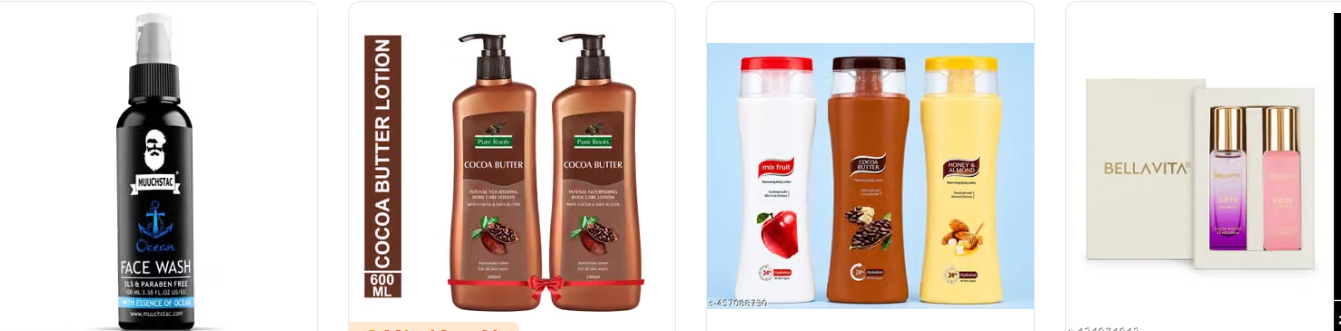
Some products you may find include:
- Makeup kits and lipstick
- Face wash and skincare products
- Hair oil and shampoo
- Beauty accessories
- Makeup brushes
- Nail care products
- Perfumes and personal grooming essentials
However, always check product descriptions, ingredients, seller information and customer reviews before purchasing beauty products.
3. Home and Kitchen Essentials
If you want to improve your living space, the home and kitchen section offers several useful options.
For example, shoppers can explore:
- Bedsheets and pillow covers
- Curtains and cushion covers
- Kitchen storage containers
- Cookware and kitchen tools
- Wall decorations
- Artificial plants
- Bathroom accessories
- Organisers and cleaning essentials
Moreover, these categories can help you find practical items for everyday household needs.
4. Electronics and Mobile Accessories
Technology accessories are another useful category for online shoppers.
Depending on current listings, you can explore:
- Bluetooth earphones
- Mobile phone covers
- Charging cables
- Power banks
- Speakers
- Smartwatches
- Laptop accessories
- Mobile holders
Before placing an order, compare product specifications and check whether the item supports your device.
5. Kids’ Products and Baby Essentials
Parents can also explore different products for children and babies.
Popular options include clothing sets, toys, backpacks, baby bedding, feeding accessories and other everyday essentials.
However, when shopping for baby products, pay close attention to material quality, age recommendations and product safety information.
How to Use the Meesho App for Shopping
The mobile app makes browsing products and managing orders convenient. You can explore different categories, search for specific items and check your account information.
Follow these simple steps:
- Open the official Meesho app on your smartphone.
- Sign in using your registered mobile number and the available verification method.
- Browse the homepage or select your preferred category.
- Use the search bar to find a particular product.
- Open a product listing and review its images, price and description.
- Check seller information and customer feedback.
- Add your preferred item to the cart.
- Enter your delivery details and choose an available payment method.
- Review your order before completing the purchase.
Once you place an order, you can use the account section to check its status and track available delivery updates.
Meesho Login: Access Your Shopping Account
Your shopping account helps you manage orders, delivery details and other account-related activities.
To access your account, visit the official Meesho website or open the mobile app. Select the profile or login option and follow the on-screen instructions.
You may need your registered mobile number and an OTP to verify your identity.
After signing in, you can explore account-related features such as:
- Checking current and previous orders
- Updating delivery information
- Reviewing payment and refund details
- Managing your profile
- Accessing customer support
Always use the official website or app when entering your login details. Never share an OTP with another person.
How to Create a Meesho Seller Account
Meesho online shopping also provides opportunities for individuals and businesses interested in selling products online.
If you want to start an online business, the supplier platform provides tools to register and manage your products.
Here is a basic overview of the registration process:
- Visit the official Meesho Supplier website.
- Select the seller registration option.
- Enter your mobile number and email details.
- Provide the required business and tax information.
- Add your active bank account details.
- Complete the registration process.
- Access the Supplier Panel and upload your product catalogue.
The registration requirements can vary depending on your seller category and applicable regulations. Meesho provides options for eligible sellers without a regular GSTIN, subject to its requirements.
Once registered, you can use the Supplier Panel to manage product listings, inventory, orders and payments.
Better Meesho Online Shopping Experience
Meesho online shopping becomes easier when you know what to check before placing an order. Therefore, consider these practical tips.
Compare Prices Before Buying
Avoid choosing a product based on price alone. Compare similar listings to understand differences in materials, designs, sizes and features.
Read Customer Reviews
Customer feedback can help you understand the actual product experience. Look for useful comments and customer-uploaded images whenever available.
Check Product Descriptions
Read the complete product information before purchasing. In particular, check dimensions, fabric, material, colour and available sizes.
Review Delivery and Return Information
Always check the estimated delivery date and applicable return or exchange conditions. These details can differ between products and sellers.
Use Secure Payment Methods
Choose an available payment method that suits your preferences. Additionally, complete transactions through the official platform and avoid sharing sensitive account information.
Why Do Shoppers Explore Meesho?
Different shoppers use the platform for different reasons. Some look for affordable clothing, while others explore household products, beauty accessories or useful everyday items.
Here are a few reasons why people may find the platform convenient:
- Multiple Categories: Explore fashion, beauty, electronics and home products in one place.
- Product Variety: Compare different styles, designs and sellers.
- Easy Browsing: Use category pages and search features to discover relevant products.
- Mobile Shopping: Browse listings and manage orders through the app.
- Seller Opportunities: Eligible individuals and businesses can explore online selling through the supplier platform.
Nevertheless, product quality, availability and delivery experience can vary. Therefore, reviewing each listing before ordering remains important.
Frequently Asked Questions About Meesho
1. What Is Meesho Used For?
Meesho is an online marketplace where customers can browse and purchase products across categories such as clothing, beauty, electronics, home essentials and more.
2. How Can I Access the Meesho App?
You can download the official application from the Google Play Store or Apple App Store. After installation, follow the instructions to access your account.
3. How Do I Complete Meesho Login?
Visit the official website or open the app. Enter your registered mobile number and complete the available verification process.
4. Can I Create a Seller Account on Meesho?
Yes. Eligible individuals and businesses can register through the official Meesho Supplier platform. You will need to provide the required business, identity and bank details.
5. Does Meesho Offer Fashion and Home Products?
Yes. The platform features various clothing, footwear, beauty, kitchen, home decor and household product categories.
6. How Can I Check My Meesho Order Status?
Sign in to your shopping account and visit the orders section. There, you can review available order and delivery updates.
7. Is It Important to Read Product Reviews?
Yes. Reviews and customer images can provide additional information about product quality, appearance and other shoppers’ experiences.
Final Thoughts
Meesho brings different shopping categories together, giving customers a convenient way to explore fashion, beauty, electronics and home essentials. Its website and mobile app make product discovery and order management straightforward.
Whether you are looking for everyday clothing, useful household accessories or personal care items, take time to compare listings and read product information before purchasing. Similarly, aspiring entrepreneurs can explore the seller platform to understand how online selling works.